
Best B2B SaaS Websites: The Anatomy and Examples Behind High-Performing Sites (2026)
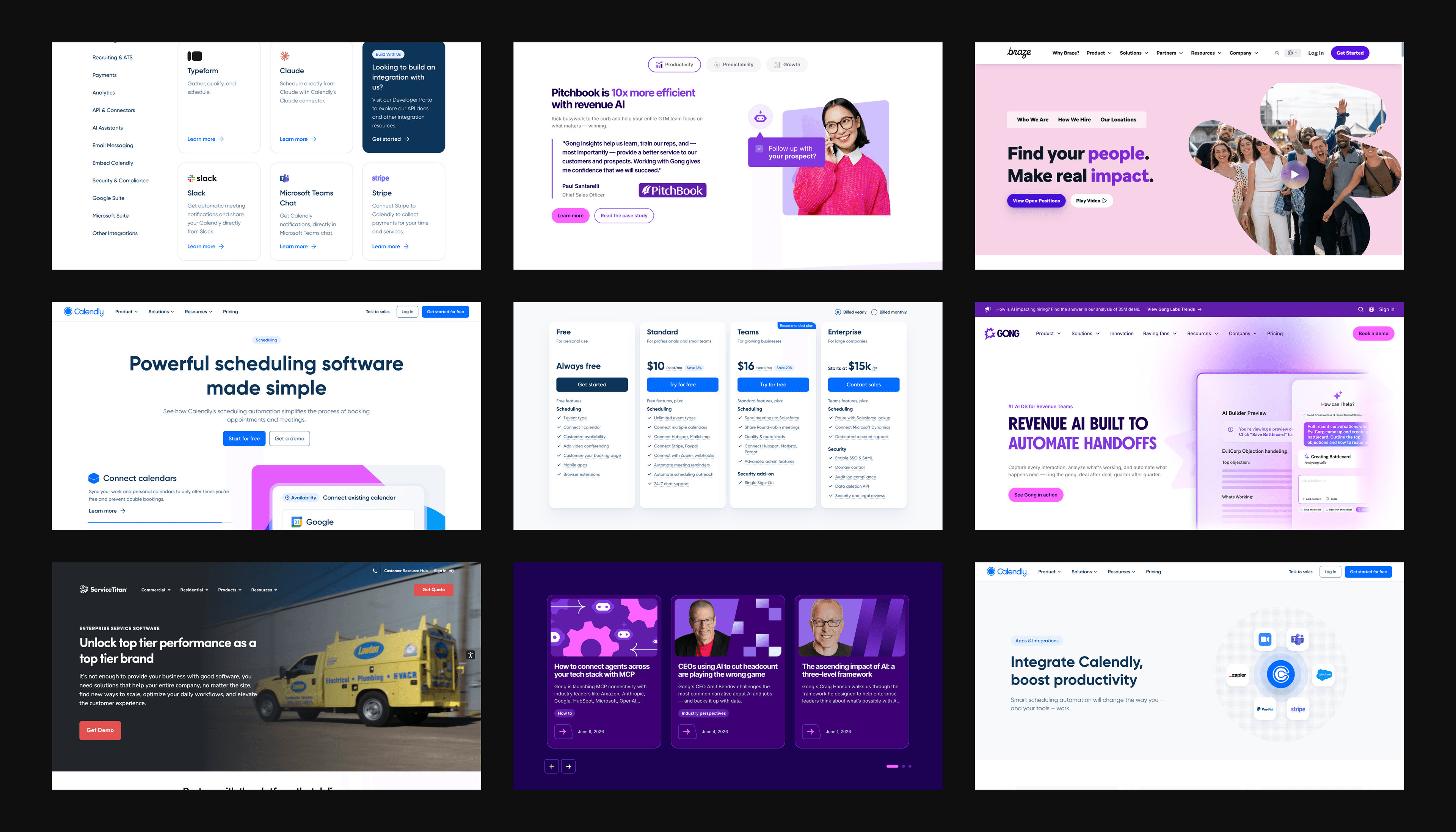
The best B2B SaaS websites share a quiet advantage: their sites keep getting better while everyone else's drift. Look closely and the homepage is rarely where the difference lives. The point is what sits underneath: a component system, a governance model and a stack built for continuous change.
Most "best of" lists miss this, treating sites like mood boards full of nice screenshots and vague principles a marketing team cannot act on. Copying a homepage does not copy the operating model behind it, which is why the companies that follow those lists keep rebuilding while the brands at the top of the list keep iterating.
What makes a great B2B SaaS website
B2B SaaS websites have to do two jobs at once: build trust at every touchpoint and convert qualified buyers into pipeline. Most sites pick one and treat the other as an afterthought. The best do both at the same time because their architecture allows it.
That dual job raises the bar above general B2B web design. SaaS buyers are professional decision-makers, sales cycles can run six to eighteen months and every commitment is multi-year: an integration, a switching cost, a renewal. Every page a buyer touches is evidence in that decision.
A baseline of table-stakes execution sits underneath everything:
- Fast page loads. Buyers bounce when the homepage stalls; load speed is a conversion-rate input, not a polish item.
- Mobile-first layouts. A meaningful share of B2B research happens on mobile, even when the purchase decision happens on desktop.
- Accessible navigation. Keyboard support, screen-reader compatibility and color contrast are enterprise-buyer requirements, not nice-to-haves.
- Reliable performance across devices and browsers. A site that breaks for the procurement team's stack loses the deal silently.
None of these earn praise on their own. All of them lose deals when missing.
What separates the brands worth studying is what they build on top of that baseline. Each runs a distinct discipline around a specific page type, and each treats that page as a product surface to keep iterating on rather than a one-time deliverable.
See what’s working for industry-leading websites and find inspiration to improve yours.

Brands worth studying: at a glance
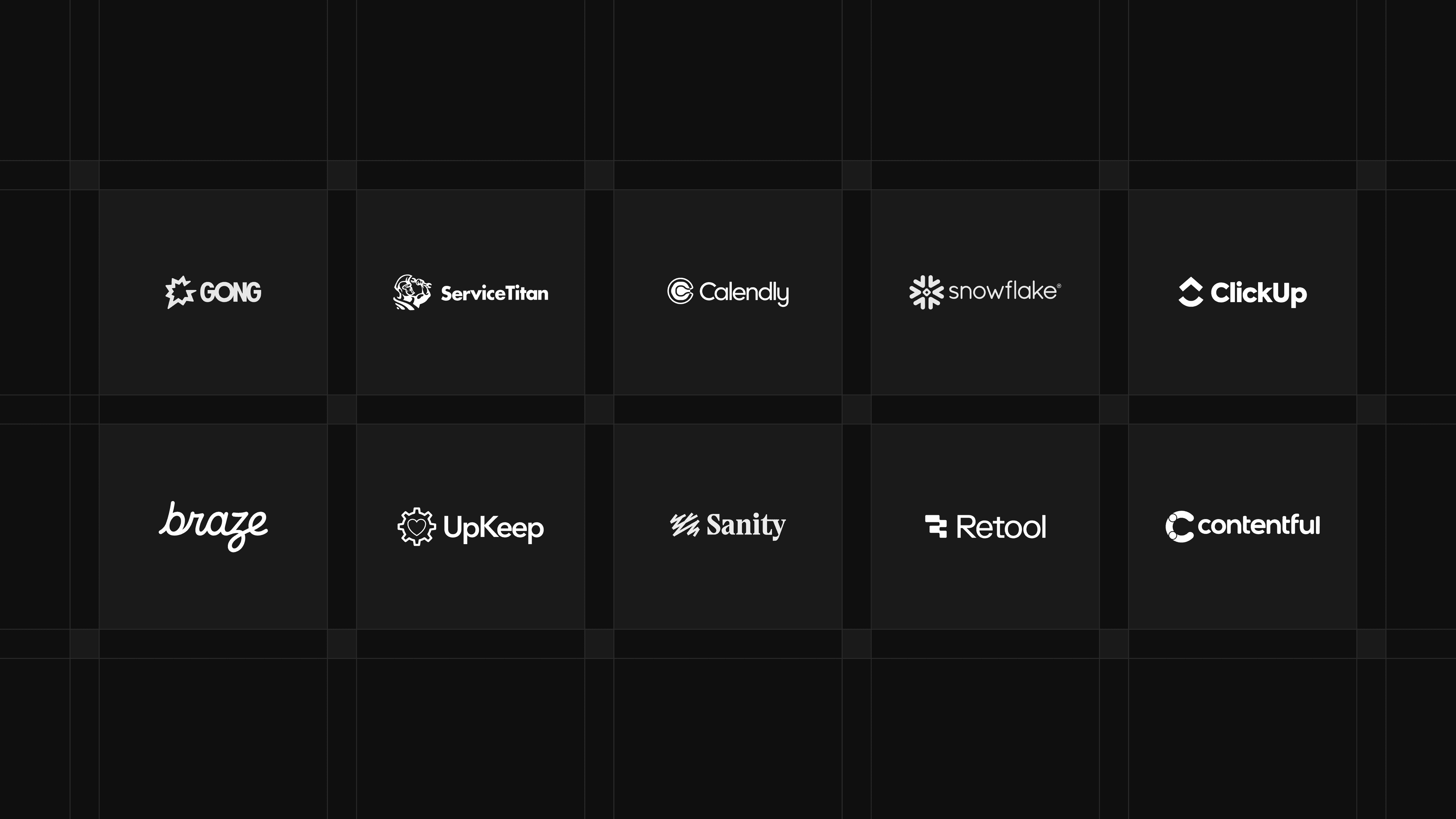
Eleven B2B SaaS brands, each picked for how it executes a specific page type. They span compliance, sales tech, developer tools and vertical SaaS, with a mix of public-company examples and growth-stage standouts.
| Brand | What they exemplify | Visit site |
|---|---|---|
| Braze | Product and Solutions pages | braze.com |
| Calendly | Pricing pages | calendly.com |
| Clickup | Careers pages | clickup.com |
| Gong | Homepage and composable migration | gong.io |
| Retool | Integrations pages | retool.com |
| Service Titan | Industry and vertical pages | servicetitan.com |
| Snowflake | Enterprise pages | snowflake.com |
| UpKeep | Resource centers and AI search | upkeep.com |
| Vanta | Trust pages | vanta.com |
The list ranks page-type execution, not overall site quality. Each brand appears once, for the specific page type it exemplifies.
For brand-by-brand deep dives with full page breakdowns, screenshots and the specific tactics each company runs, download the ebook.
The anatomy of a high-performing B2B SaaS website
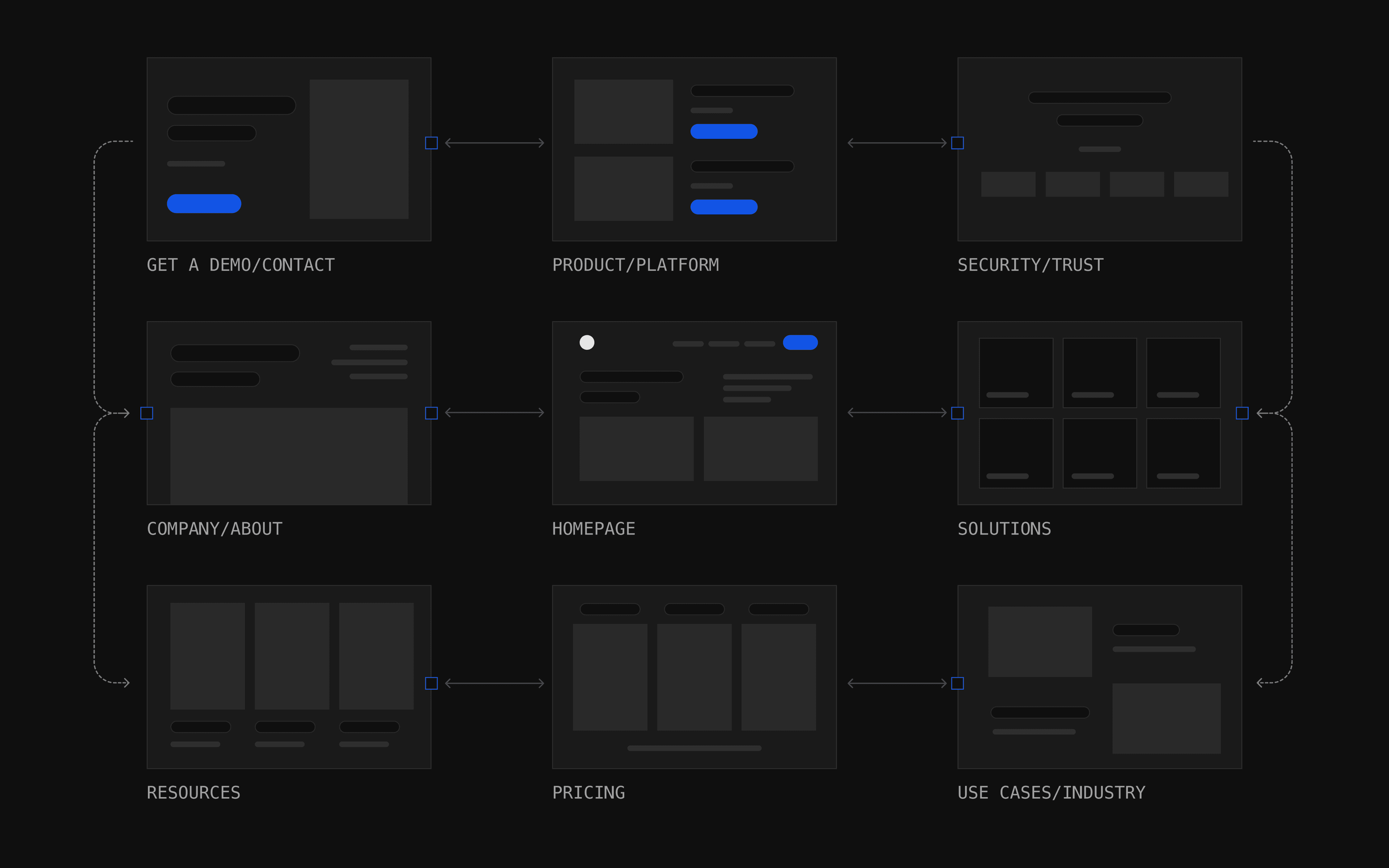
Not every B2B SaaS site needs the full set of page types, and the relative weight of each shifts with go-to-market motion, deal size and buyer persona. What the strongest sites share is consistent design discipline across whichever surfaces they have decided matter most.
Homepage
The homepage is the highest-stakes page on most B2B SaaS websites, and the one most often treated as a brochure rather than a routing layer. A homepage that works for SaaS does three things in the first scroll:
- Establishes who the product is for. A clear identity statement above the fold tells different visitor types whether they belong here.
- Signals credibility through visible social proof. Recognizable logos, named customers and proof points anchor the page for late-stage buyers doing due diligence.
- Routes different visitor types forward. A developer, a VP of Marketing and a procurement reviewer all need different next steps; the page should provide them without crowding the layout.
The common failure modes are the opposite: a single hero call-to-action (CTA) that flattens audience differences, a value proposition that describes the product instead of the buyer's problem and a trust bar without context for why those logos matter.
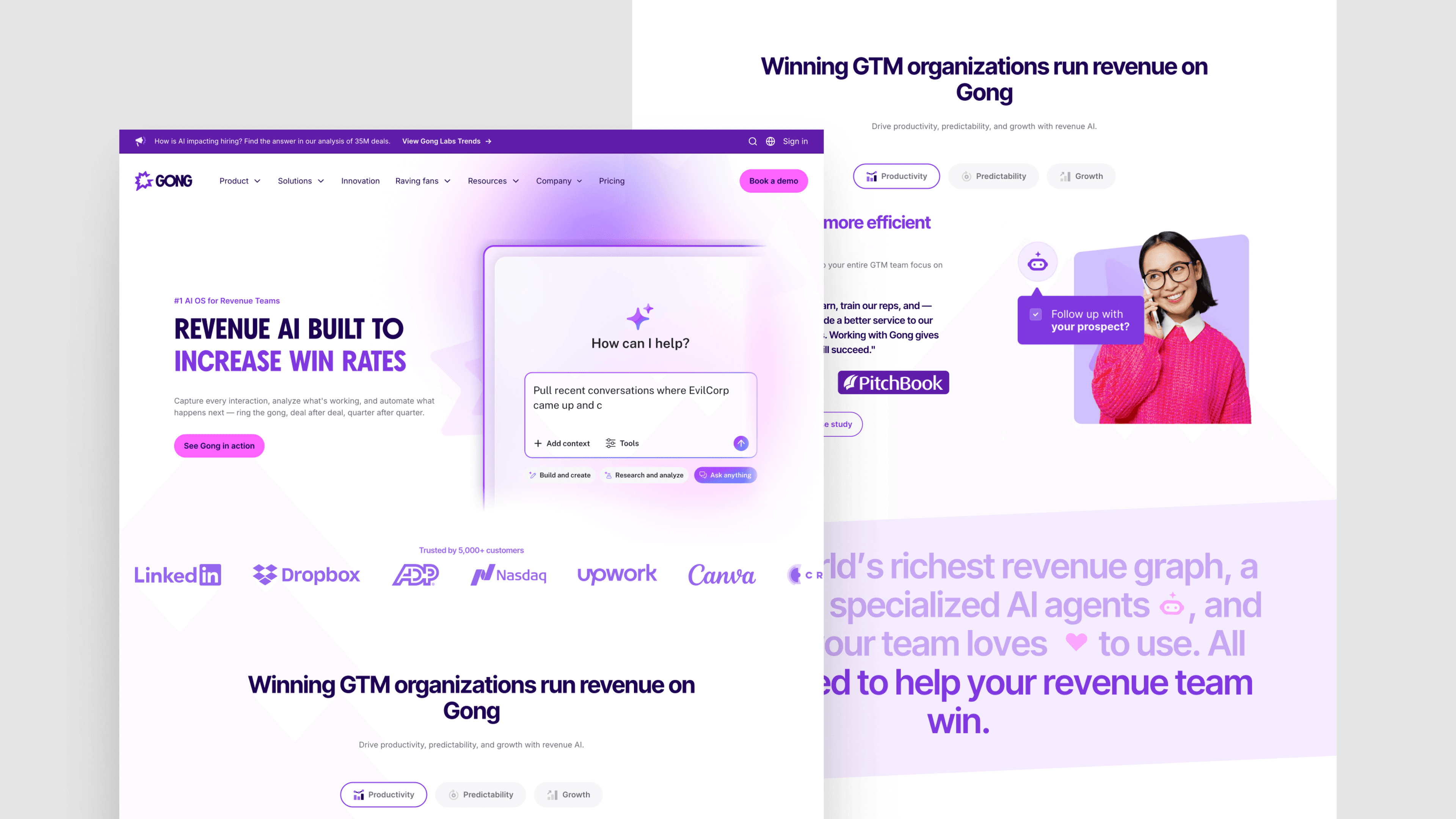
Featured exemplar: Gong. Gong's homepage is the marquee Webstacks engagement of the moment. The Revenue AI Operating System positions the product above the fold, 5,000+ customer count and named logos that anchor credibility for the due diligence buyer and the layout routes by role (sales, RevOps, enablement, customer success) and by industry (technology, financial services, healthcare, manufacturing) without crowding. What keeps that durable is the architecture underneath: Webstacks led Gong's migration off WordPress onto a composable, Sanity-powered platform so distributed marketing teams can iterate without engineering bottlenecks.
Product and Solutions pages
Product and Solutions pages are where a SaaS buyer goes once they have decided the category is real and want to know if this specific product fits. The underlying discipline is the same on both: show, do not tell. A Product page describes what the software does; a Solutions page describes the problem the software solves for a specific buyer segment or use case.
The strongest execution combines product screenshots or short demo videos, customer quotes tied to the specific use case and a clear next step that matches the buyer's intent. The failure mode is the opposite: abstract benefit copy, no product user interface (UI) and no proof that any real customer used the software the way the page describes.
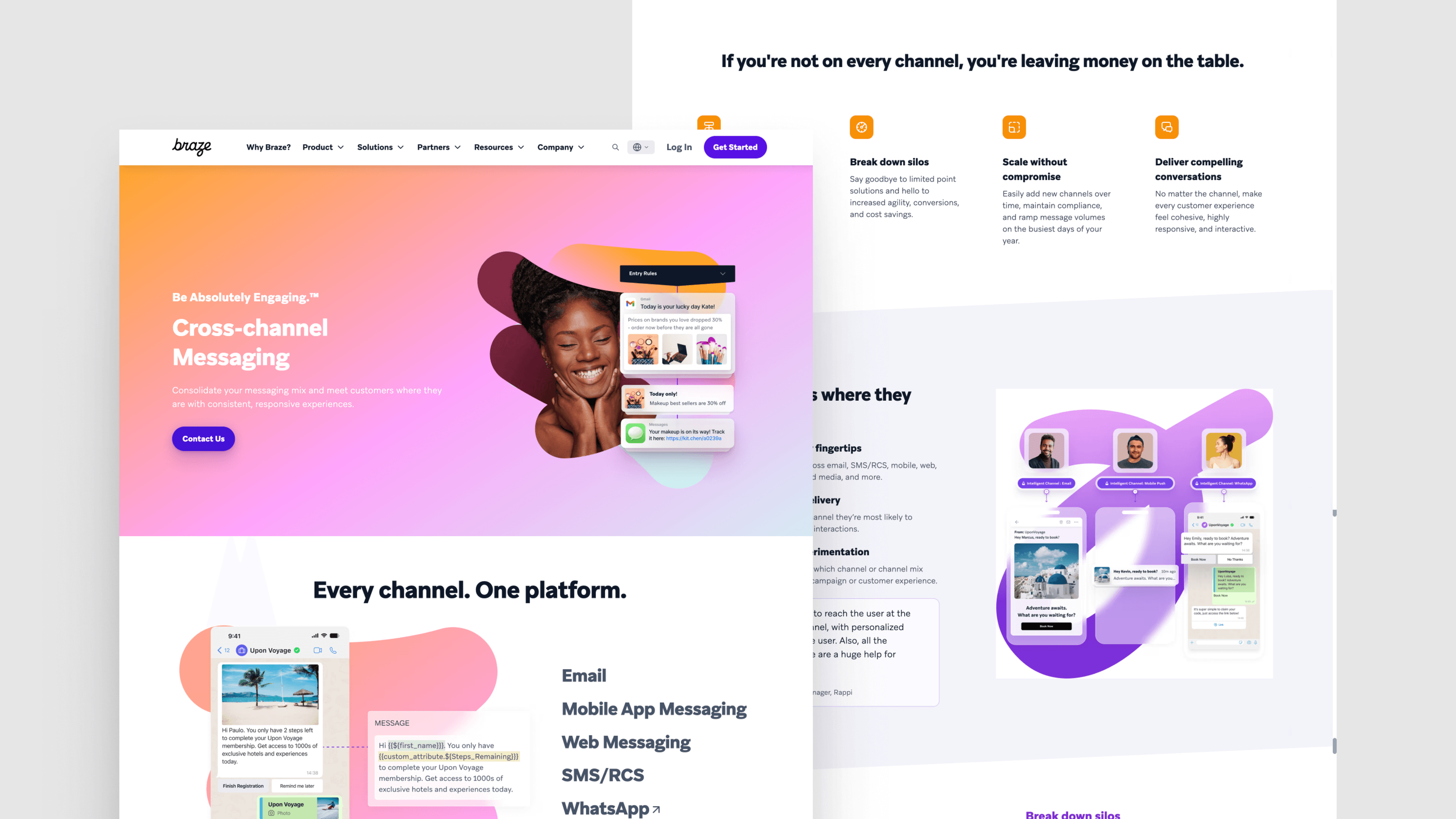
Featured exemplar: Braze. Webstacks redesigned Braze's product pages around exactly that principle: product UI illustrations carry the explanation and testimonials ground each capability in a customer outcome, with the Braze AI page as a representative example.
Pricing pages
Pricing pages reveal whether a SaaS company has done the hard work of packaging. A page that confuses a buyer about which tier they need has not failed at design; it has failed upstream at pricing strategy. The page can only be as good as the model behind it.
Strong pricing pages prioritize readability above all else:
- Tier comparisons in a single visual frame. A buyer should be able to take in all tiers without scrolling sideways or switching tabs.
- Feature differences are clear at the row level. Checkmarks and dashes should be unambiguous; tooltips fill in context without crowding the table.
- Mobile layouts using disclosure patterns. Accordions and dropdowns keep the full comparison usable on small screens.
- An extensive frequently asked questions (FAQ) section. This is the difference between a page that converts and a page that generates support tickets.
Get any one of these wrong and the page becomes a reason the buyer walks.
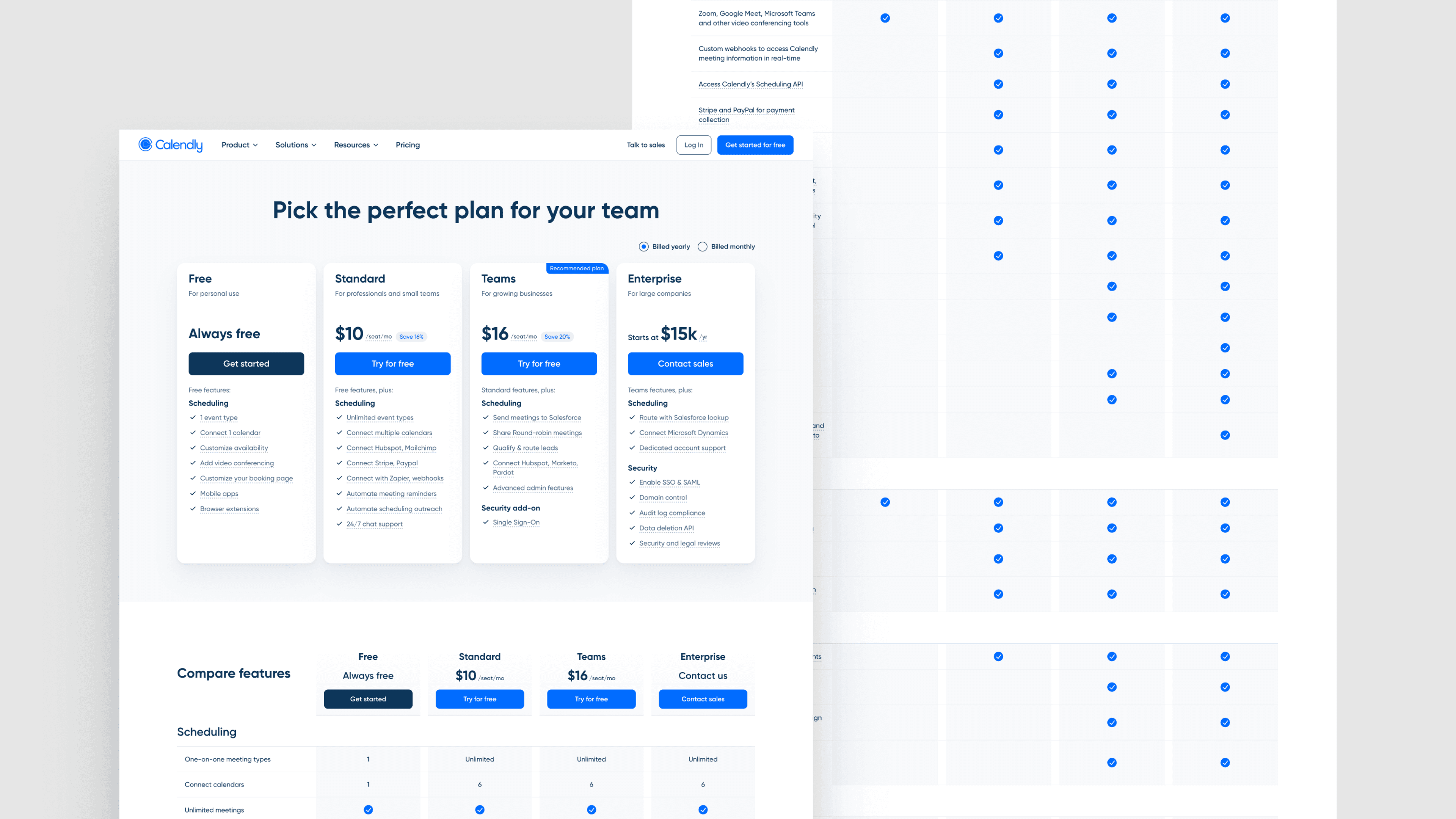
Featured exemplar: Calendly. Calendly's pricing page sets tier comparisons in a single frame, makes feature gates unambiguous at the row level and treats the transition from free to paid as a deliberate user experience (UX) flow rather than a paywall. The Webstacks-led website transformation supported Calendly's broader move from product-led growth to an up-market sales motion, so the page makes the enterprise path discoverable without burying the self-serve flow.
Integrations pages
Integrations pages do double duty: they answer the stack-compatibility question and, when designed for scale, generate substantial programmatic search engine optimization (SEO) traffic. Done well, they become a navigable directory that buyers and search engines treat as authoritative.
The execution that works has three components:
- A clean hub layout with categorization and search. Buyers should find the integration they care about in seconds, not browse dozens.
- Individual integration pages with consistent structure. Every page follows the same template, which is what programmatic SEO at scale requires.
- CTAs above the fold on each integration page. The integration page is a buying surface, not a reference page; treat it that way.
Done at all three levels, the integrations directory becomes a discovery surface that buyers treat as part of the product.
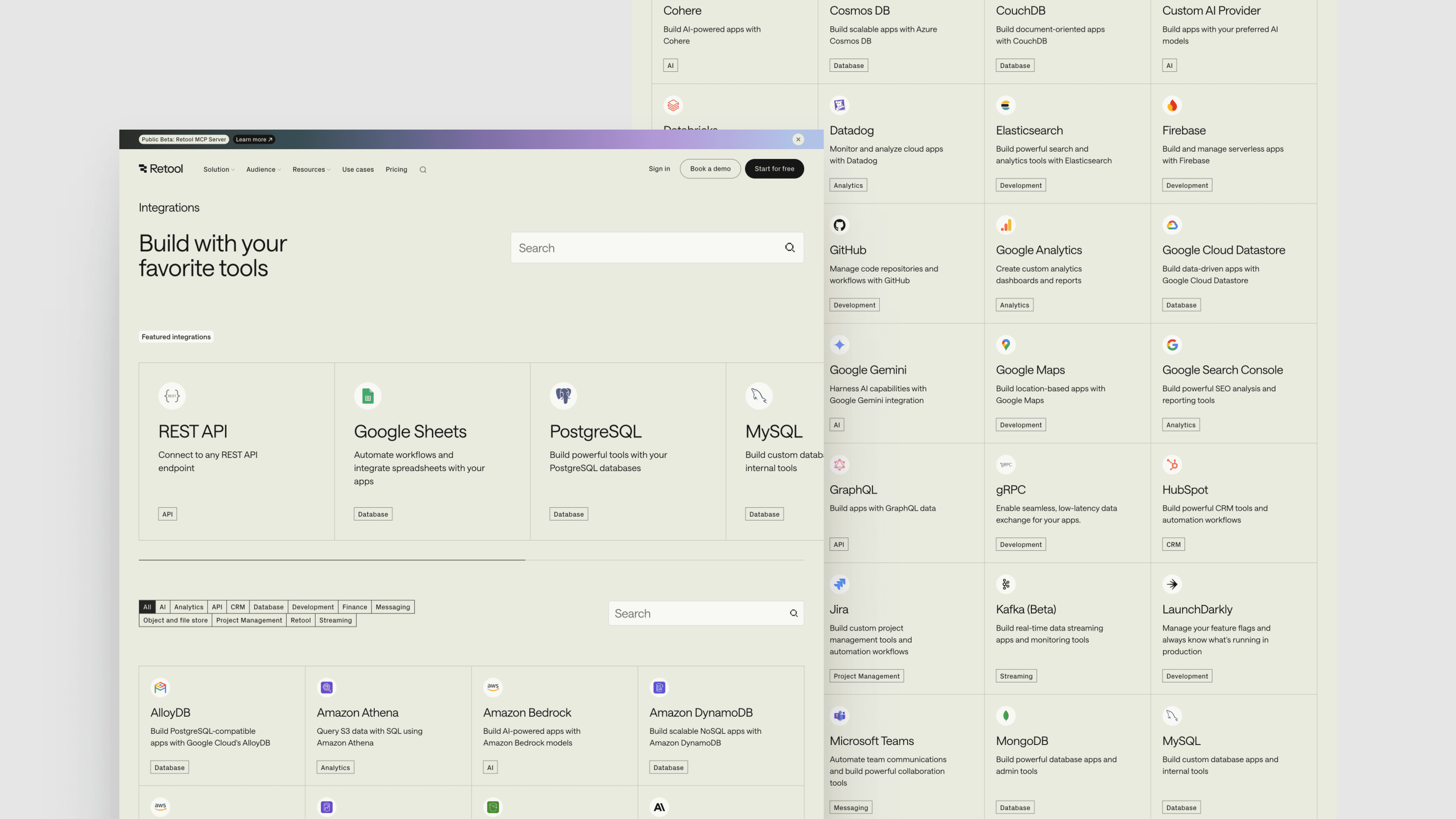
Featured exemplar: Retool. Retool's integration directory is the reference standard: 70-plus integrations across APIs, databases and cloud storage with a layout that makes finding a specific tool feel like using a product rather than browsing marketing pages. Each individual integration page follows the same template, which is what programmatic SEO at scale requires.
Industry and vertical pages
Industry pages translate the platform into the language of a specific buyer. A vertical SaaS company often anchors its entire site on these pages; a horizontal SaaS company uses them to win against more specialized competitors. The page works when it speaks the industry's vocabulary, references industry-specific outcomes and uses customer logos from inside that industry. The failure mode is the opposite: an industry page that reads like the generic homepage with a different hero image, which buyers can spot in seconds.
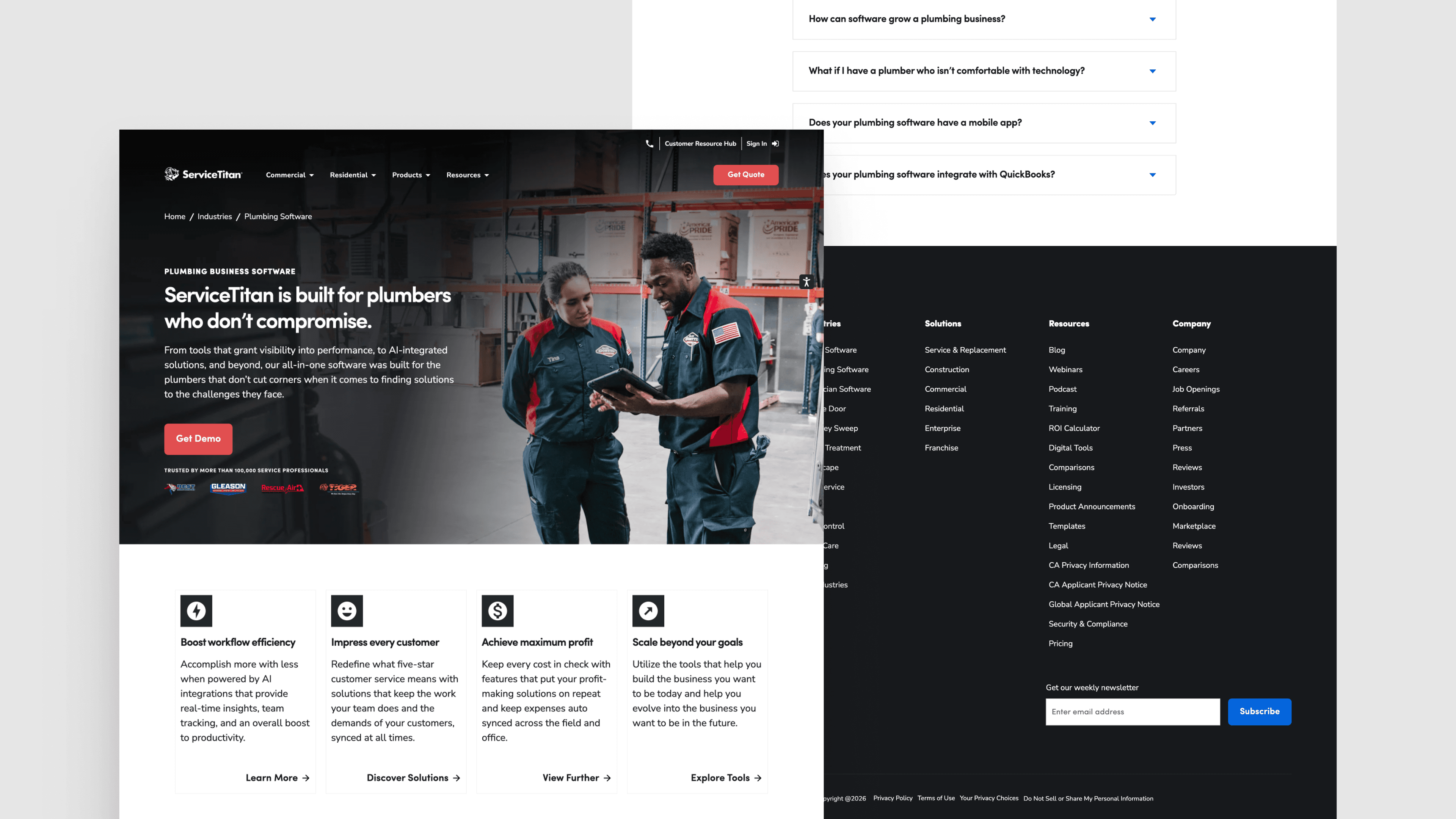
Featured exemplar: ServiceTitan. ServiceTitan runs a vertical SaaS playbook against the contractor and trades industry, treating each trade (plumbing, electrical, HVAC, roofing) as a first-class buyer segment with its own messaging, testimonials and feature emphasis. The underlying component system lets ServiceTitan's marketing team launch a new trade page in days rather than quarters, without engineering escalation.
Enterprise pages
Enterprise pages exist because the enterprise buyer has different questions than the self-serve buyer. Security, compliance, scalability, support model, contracting and procurement all need explicit answers, and those answers are best given on a dedicated surface. A self-serve homepage cannot do this work without becoming cluttered.
The pages that earn enterprise trust share a set of signals:
- Fortune 100 customer logos with named case studies. Social proof for the enterprise buyer has to come from peer-scale companies, not from mid-market wins.
- Security and compliance certifications surfaced clearly. SOC 2, ISO 27001 and equivalent badges belong above the fold, not buried three clicks deep.
- An enterprise-specific contact path. Do not dump the enterprise buyer into the standard demo queue; they need a different sales motion.
- Copy in the vocabulary of enterprise IT and procurement. Growth-stage marketing language reads as off-tone to the audience signing enterprise deals.
Each signal does work the others cannot; missing one weakens the rest.
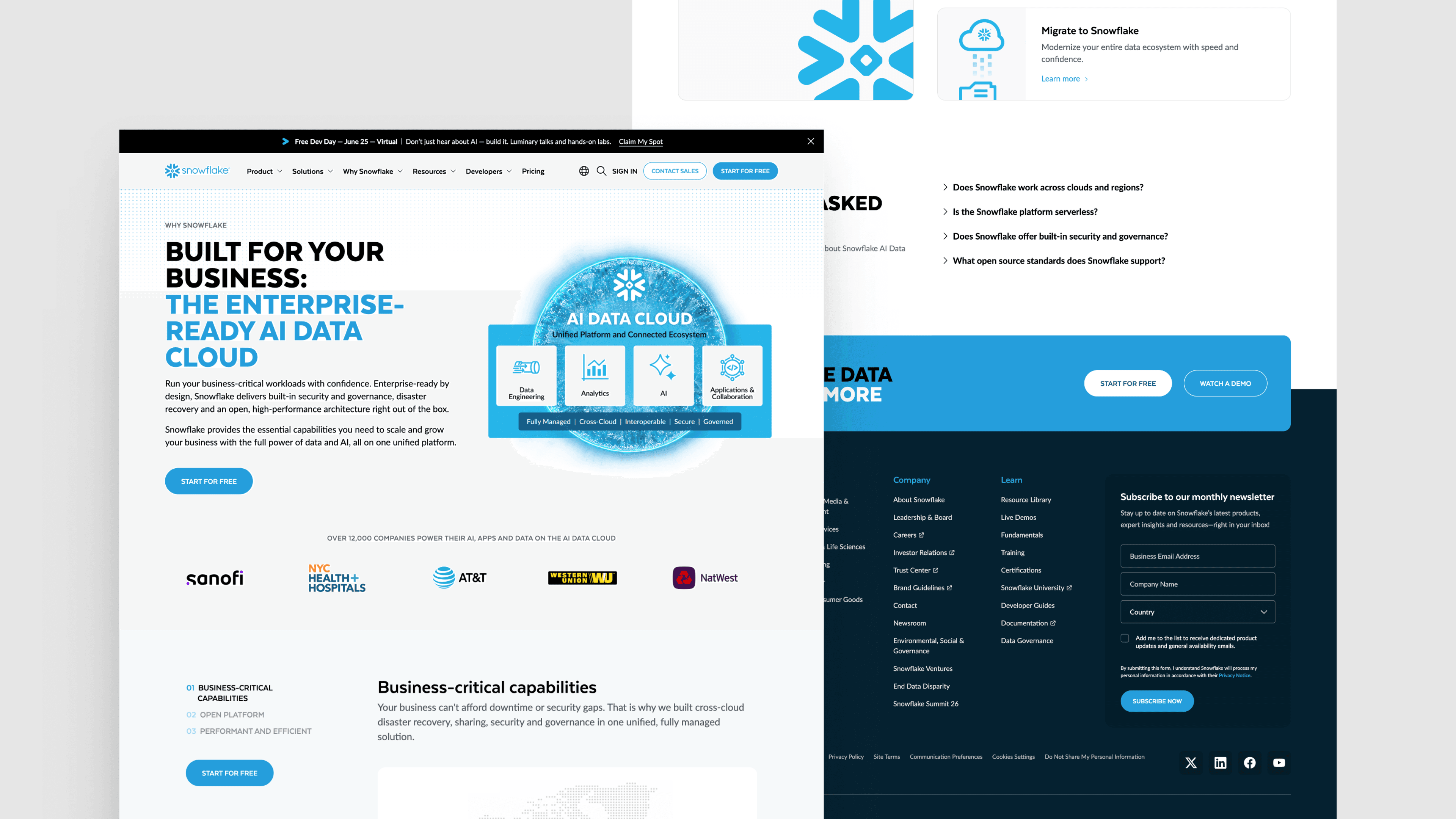
Featured exemplar: Snowflake's Enterprise-Ready page leads with the scale, security and governance signals enterprise data buyers screen for, with named Fortune-scale logos (JPMorgan Chase, Capital One, Adobe, PepsiCo among them) and contact paths separated from the self-serve product flow. The pages run on the same design system as the rest of the site but earn their differentiation through messaging and proof points tuned to the procurement and IT-leader audience that signs enterprise deals.
Trust pages: Why Us, About Us and security
Trust pages do not directly convert, but they remove deal blockers. A late-stage buyer doing due diligence will land on the About page, the Why Us page and the security or compliance page before signing. If any of those pages feel thin, the deal slows down.
The strongest trust pages share a common discipline: they make claims, then back them up with evidence. The list of what gets documented, with specifics rather than slogans:
- Awards and recognition with the awarding body named.
- Named customers rather than anonymized logos.
- Compliance certifications with framework and audit cadence stated.
- Leadership backgrounds that explain why this team is the right bet.
- A founding story connecting the company's origin to the problem it solves.
- Security posture documented in concrete terms.
Storytelling does the credibility work; this kind of documentation does the proof work.
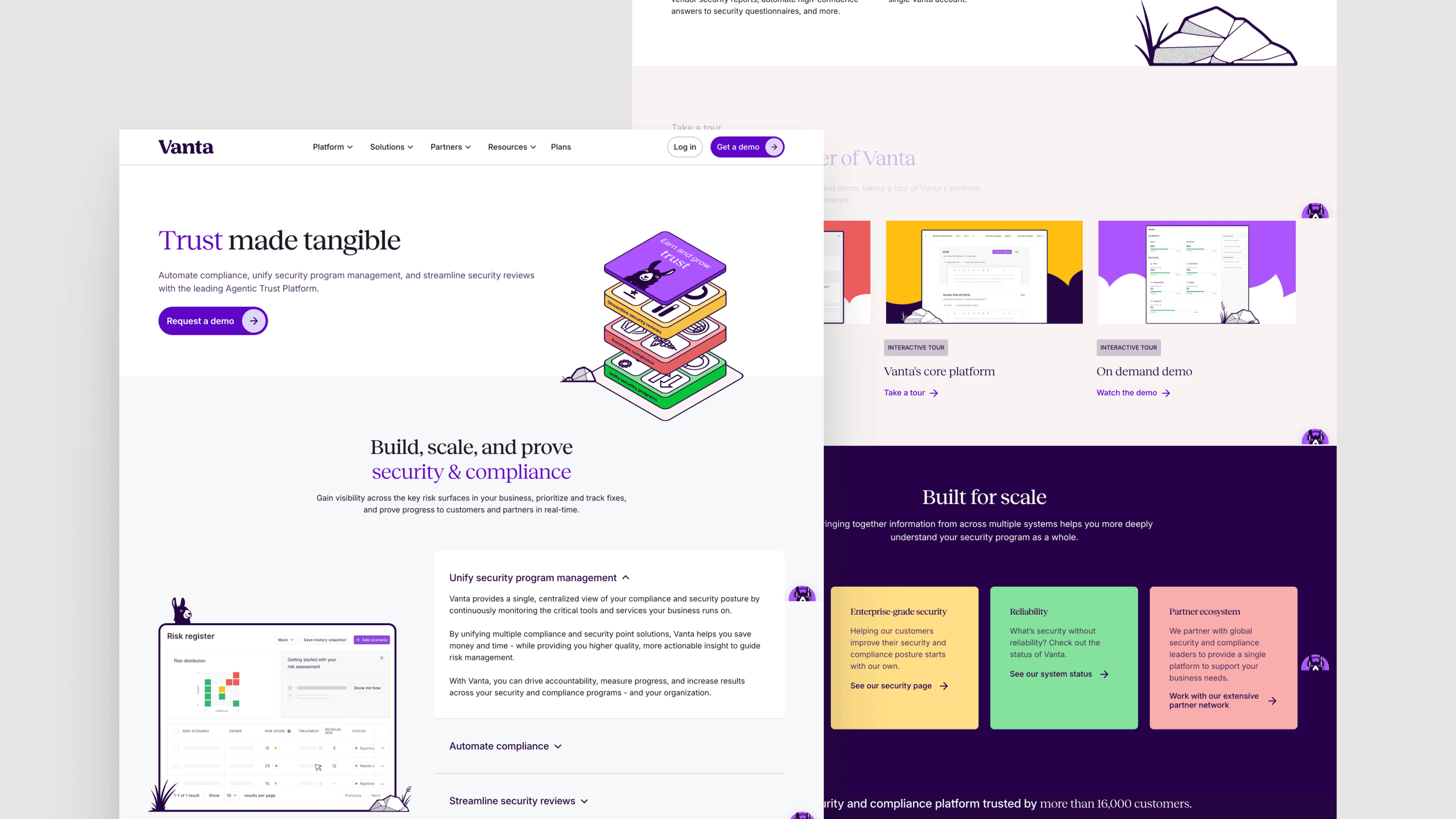
Featured exemplar: Vanta. Vanta sells compliance automation for frameworks like SOC 2, ISO 27001 and GDPR, so its own trust pages have to operate at category-defining standards. Vanta's platform and product pages surface concrete productivity numbers rather than abstract benefit claims (129% productivity gain, 50% reduction in audit completion time, 90% of compliance tasks automated), and the security and trust surfaces read with the rigor a compliance buyer expects.
Resource centers
Resource centers separate companies running a content engine from companies publishing the occasional blog post. The page itself is mostly an architecture problem: surfacing dozens or hundreds of assets across formats so a buyer can find the right one at the right stage. Search, filtering and clear taxonomies do most of the work; the most ambitious resource centers go further with tooling, calculators and podcasts alongside written content, plus layered personalization that connects the right piece to the right buyer.
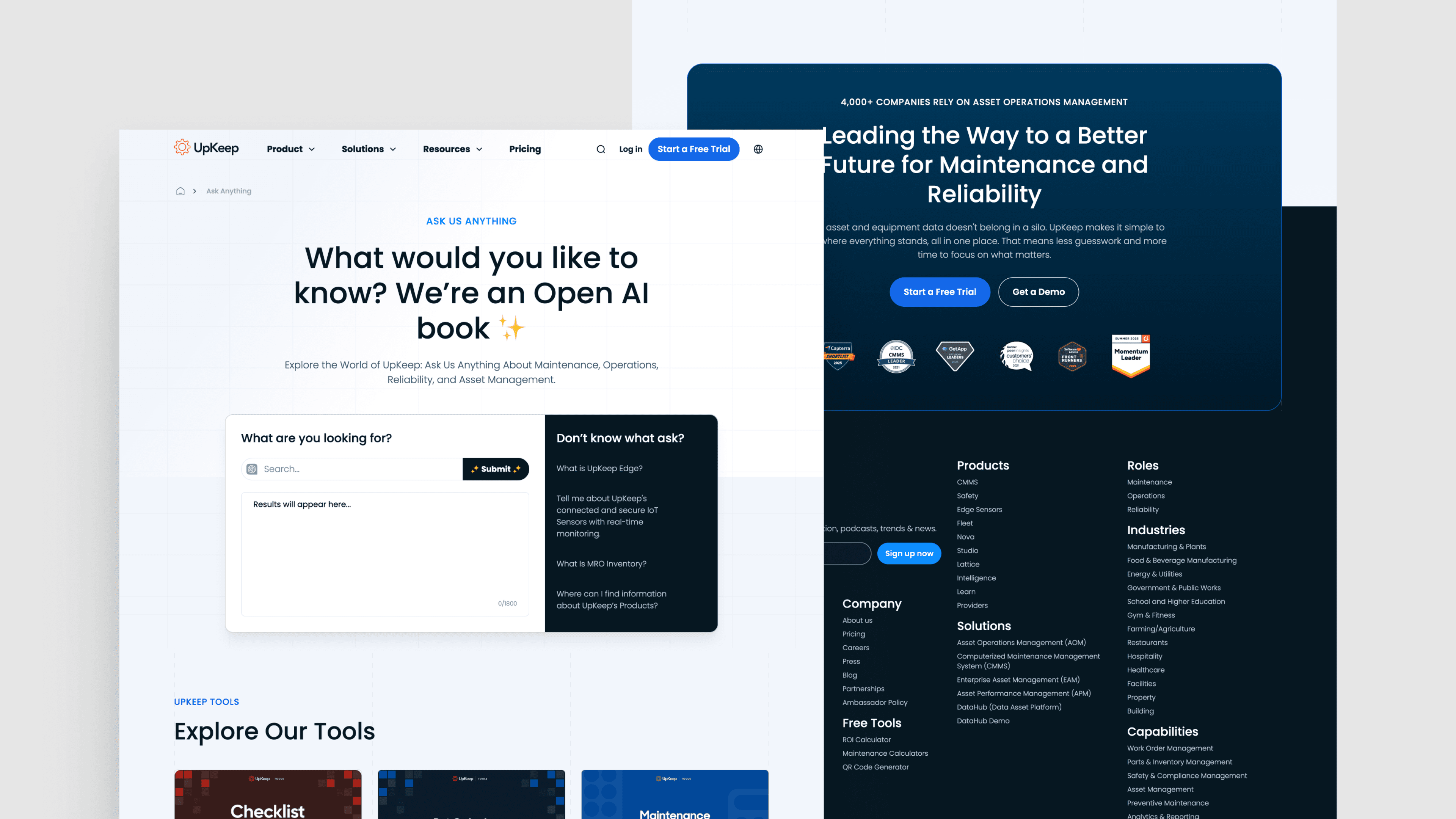
Featured exemplar: UpKeep. UpKeep runs one of the more advanced resource centers in B2B SaaS. An AI-powered global search built on the OpenAI API uses UpKeep's full content corpus as a knowledge base, so a maintenance manager asking about preventive scheduling gets a direct answer with linked source pages rather than ten blue links to skim. That is what good looks like when the website is treated as a product surface rather than a content archive.
Case study pages
Case study pages are evidence. The job is to convert a prospect's fit-validation question into a quantified, named answer. The pages that do this well share a structure: clear customer context up front, the specific problem the company faced, the solution as implemented and quantified outcomes with attribution.
The variance across SaaS case study pages is wide enough that picking one featured exemplar would force the comparison. Three patterns are worth studying together:
- Gong uses callout cards with bold metrics and floating CTAs to keep conversion in view while the reader scrolls.
- Calendly follows a tighter narrative arc with quoted customer voice driving the page.
- ServiceTitan anchors each piece in industry-specific operational outcomes, which is what the contractor buyer is looking to validate.
What all three share is data-driven success metrics, a consistent storytelling structure of challenge, solution and results, plus customer quotes that sound like the customer rather than the marketing team.
Careers pages
Careers pages signal company health to candidates, but they also signal it to buyers. A late-stage buyer often clicks Careers as a sanity check on whether the company is growing, what its values are and whether the team behind the product is one they trust to support a multi-year contract.
The pages that work treat the careers surface as a mini-brand experience. Mission statement, perks, leadership voice and culture come through alongside the job board. Filtering by role, department and location makes the job board itself usable.
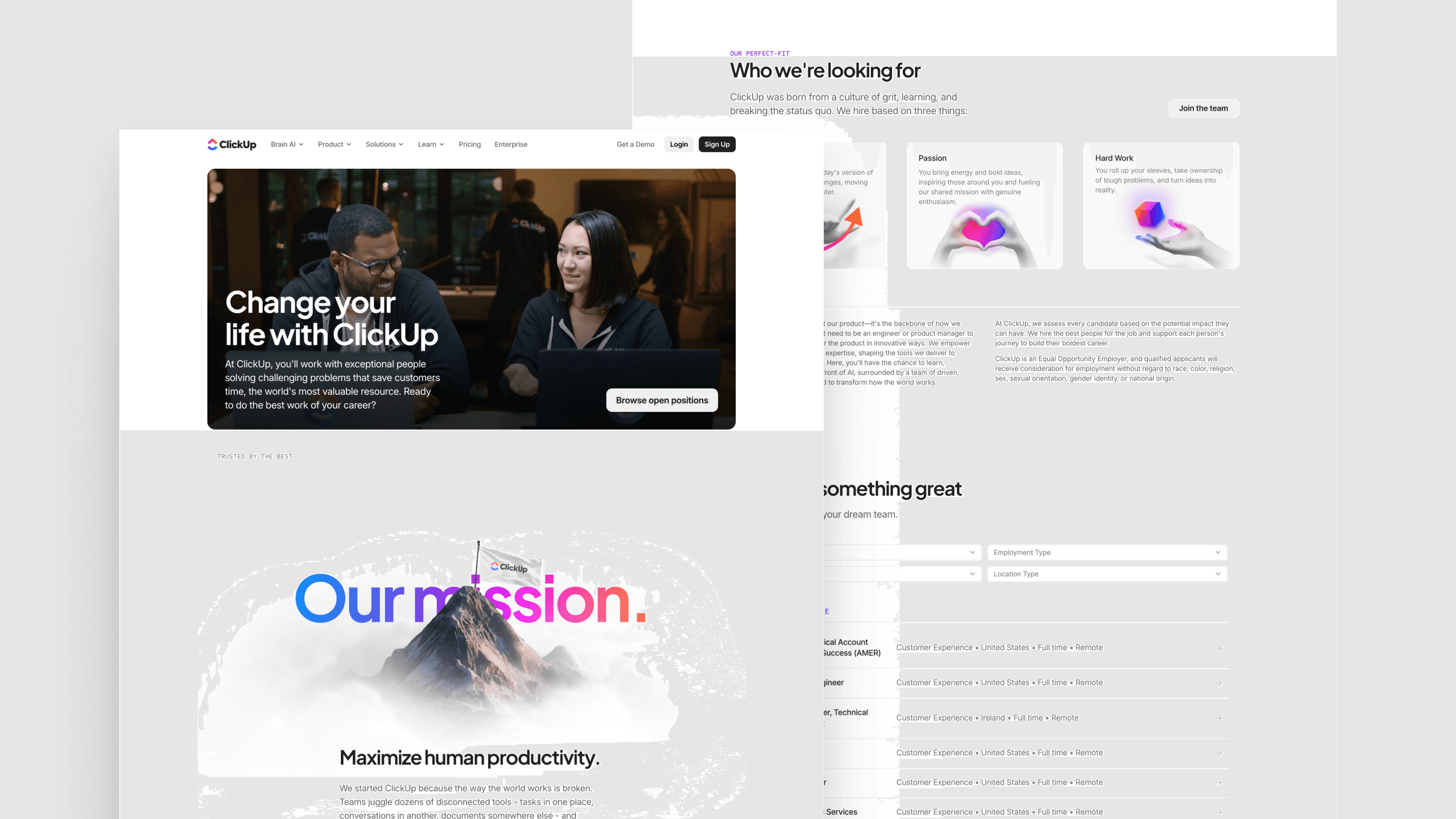
Featured exemplar: ClickUp. The ClickUp careers page combines a compelling mission statement with strong visual identity and clear filtering on its job openings. It reads like the same product the marketing site sells, which is the right answer; the careers page is a candidate's first product experience.
See what’s working for industry-leading websites and find inspiration to improve yours.
Why the best B2B SaaS sites are composable
The best B2B SaaS brands did not stay best by accident. The ones that compound their advantage over time treat the website as a product with a component system, not a project that gets rebuilt every 18 months. That operating model has a name: composable architecture.
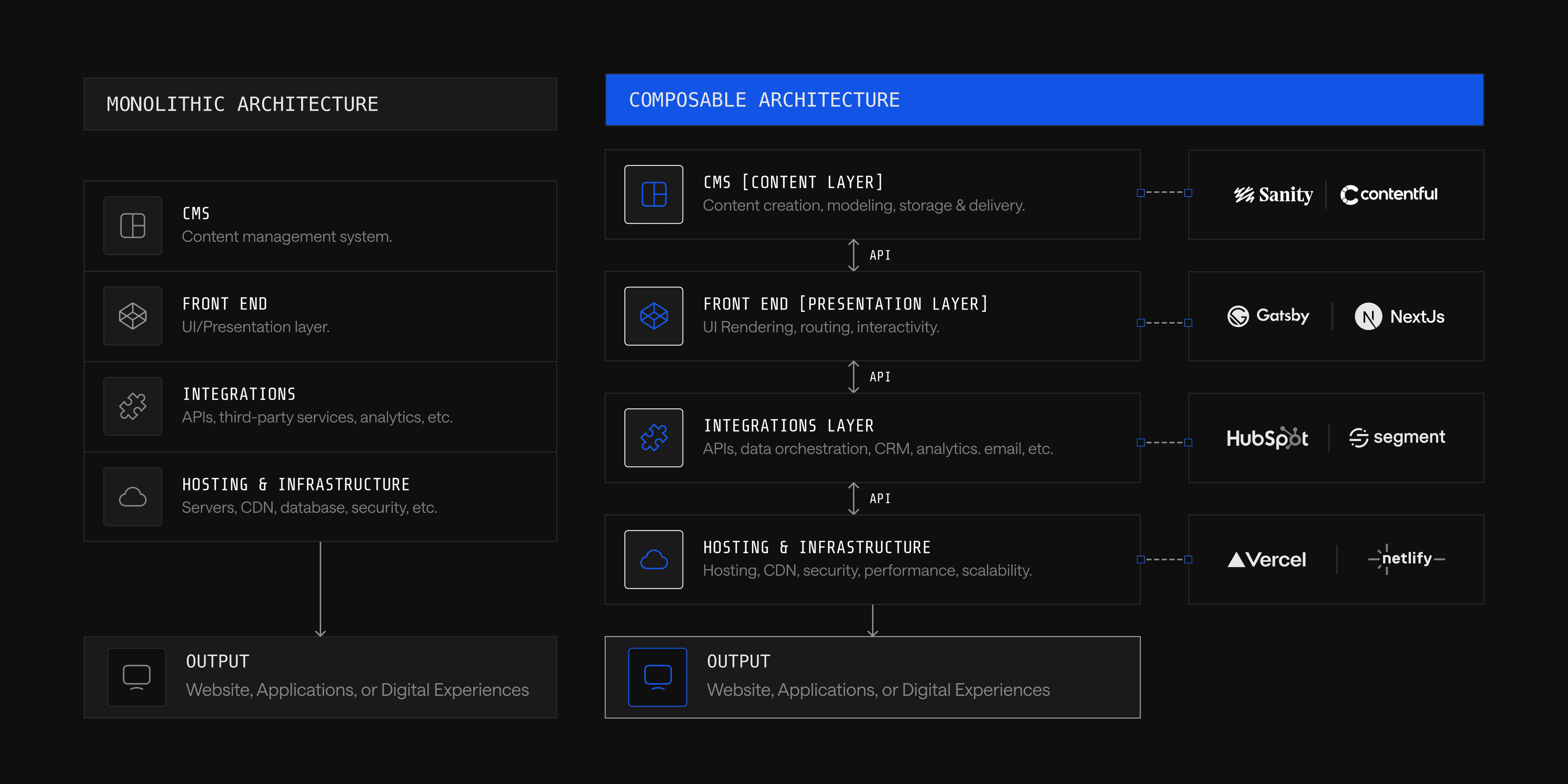
Composable architecture means assembling a website from independent, specialized modules that communicate through application programming interfaces (APIs): a headless CMS for content, a frontend framework for rendering and an integration layer for analytics, customer relationship management (CRM), personalization and customer data. Each piece can be upgraded, replaced or scaled independently without rebuilding the whole stack.
The benefits show up in outcomes, not in marketing copy:
- Iteration speed. Marketing teams can launch and update pages without engineering escalation, because the CMS exposes structured content the design system already knows how to render.
- Component reuse at scale. A new industry page, integration page or product page can be assembled from existing components in days rather than rebuilt from scratch in months.
- Independent scaling. A traffic spike on a campaign landing page does not require provisioning the entire site for peak load; modular hosting absorbs the spike where it lands.
- Future-proofing. When a new integration or capability matters, it gets added to the stack rather than triggering a redesign.
Gong, Calendly, ServiceTitan, Snowflake and UpKeep all run on composable architectures of this shape. That is why their sites compound improvements year over year rather than plateauing between rebuilds.
How to upgrade your B2B SaaS website
The right upgrade path depends on the trigger event that brought the question to the table. The three paths are not interchangeable; each solves a different problem, and choosing the wrong one wastes time and budget.
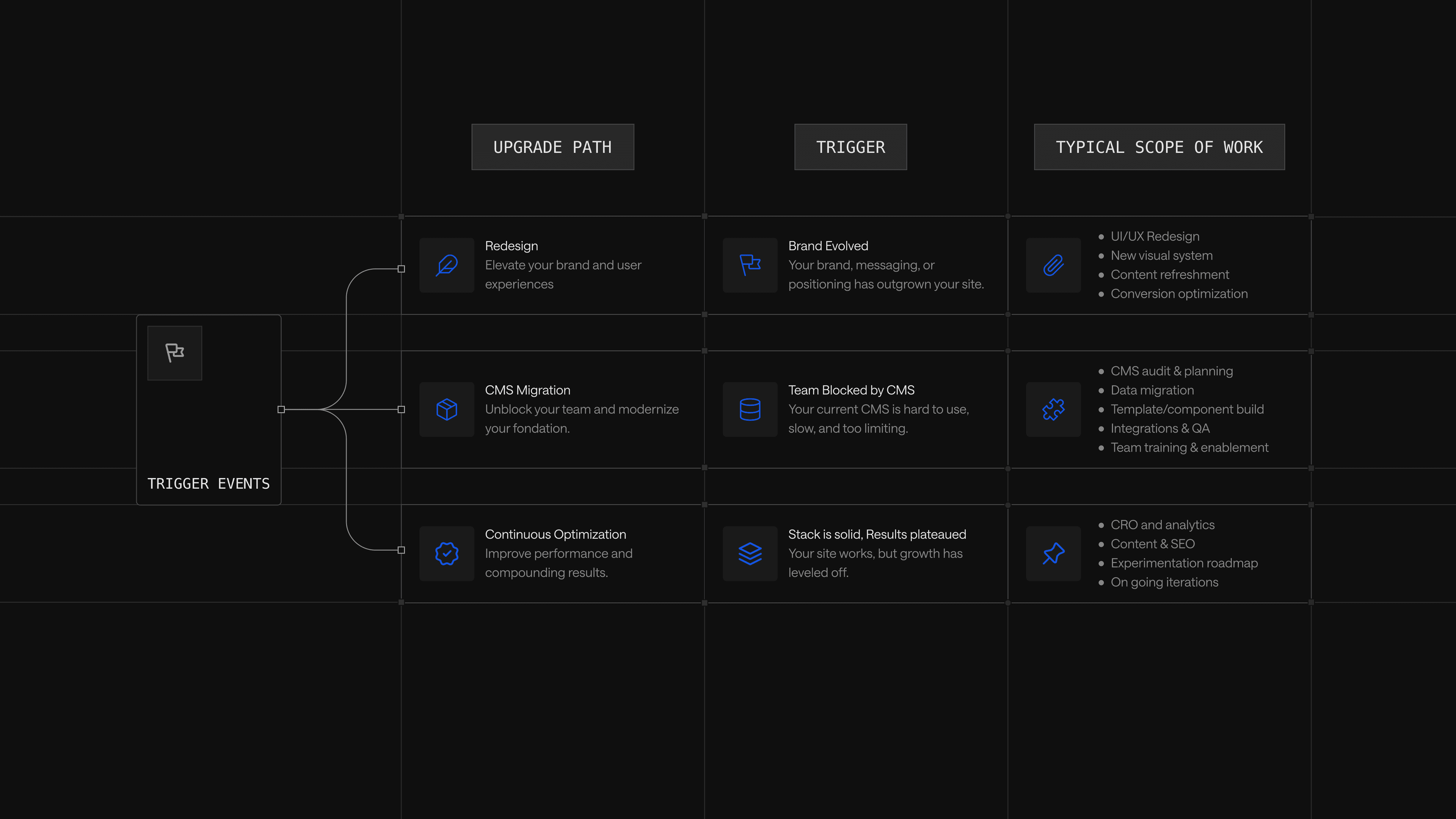
When to redesign
A redesign is the right path when the visual identity, messaging architecture or information architecture no longer matches what the company is selling or who it is selling to. Common triggers include a brand refresh, a major product pivot, a pricing model change or a move from product-led growth into enterprise sales.
Redesigns are the wrong path when the underlying complaint is operational rather than visual. A team that cannot update the site fast enough has a CMS problem, not a design problem, and a redesign on top of the wrong stack only reproduces the original frustration with a new coat of paint. The diagnostic: if the marketing team is happy with how the site looks but frustrated with how it works, the answer is not redesign.
When to migrate the CMS
A CMS migration is the right path when the bottleneck is workflow: marketing waiting on engineering to launch pages, content updates requiring deploy cycles or a CMS that cannot support the structured content the design system needs. The trigger is usually team exhaustion rather than aesthetics; a site that looks fine but wears out the team running it is a migration signal in disguise.
A well-run phased migration prioritizes stability and stakeholder alignment alongside speed. Done well, it preserves search equity, maintains content velocity through the transition and leaves the marketing team with a CMS they can operate independently.
When to invest in continuous optimization
Continuous optimization is the right investment when the site looks current, the CMS works and the team can update pages independently. The work covers A/B testing, conversion rate optimization, performance tuning, programmatic SEO, integrations work and component-level iteration on high-traffic surfaces. Most established SaaS marketing teams under-invest here, treating the post-launch period as maintenance when it should be the actual product work.
The brands at the top of any best-B2B-SaaS-websites list are there because they spent the years after launch iterating on a stable architecture, not because the original build was uniquely brilliant. Continuous optimization is also the path most aligned with the composable model: when the architecture supports component-level changes, the optimization motion moves at the speed of testing rather than the speed of redeploys.
Where to start based on your situation
The right starting point depends on the trigger event sitting in front of the reader right now. The matrix maps the most common situations to the path that fits, with the reasoning behind each.
| Your Situation | Best-fit Path | Why |
|---|---|---|
| Site looks dated, brand has evolved, but the CMS and team workflows still work | Redesign | The bottleneck is visual and strategic, not operational; redesign on the existing stack |
| CMS is slowing the team down; every update needs engineering; launching a new page takes weeks | CMS migration | The bottleneck is workflow; a composable architecture solves it where a redesign cannot |
| Brand refresh is shipping and the current stack cannot support the new design system | Redesign plus migration | Both problems are real; sequencing matters, with the architecture decision made first |
| Site looks current and the team can ship independently, but conversion and pipeline have plateaued | Continuous optimization | The investment area is a post-launch iteration, not a new build |
| Recently launched on a composable stack and unsure what to do next | Continuous optimization | The work that compounds advantage happens here, not in another rebuild |
| WordPress at scale, frustration mounting, no clear trigger event yet | CMS migration, scoped phased | The technical debt is the trigger; phased migration limits risk |
| New CMO, new positioning, new pricing model all hitting at once | Redesign plus migration | The scope of change exceeds what any single path can absorb |
The pattern across most situations: the path is determined by what is actually broken, not by what looks tired. A team frustrated with operations should not be solving with design. A team facing a strategic pivot should not be solving with optimization. Diagnose the trigger event first; choose the path second.
Talk to Webstacks
The brands worth studying share a single trait: they treat their websites as products that compound advantage over time, not as projects to revisit every 18 months. That operating model is what Webstacks builds.
Webstacks partners with B2B SaaS companies on composable website redesigns, CMS migrations and continuous optimization. Gong, Calendly, ServiceTitan, Snowflake and UpKeep all share the same underlying approach: a structured content model, a component-based design system and a stack built for iteration.
Ready to treat your website like a growth product? Talk to Webstacks.

Your website is your biggest growth lever—are you getting the most out of it? Schedule a strategy call with Webstacks to uncover conversion roadblocks, explore high-impact improvements, and see how our team can help you accelerate growth.

I create SEO-driven content for B2B SaaS companies, from blog posts to case studies. I focus on research-backed writing that ranks on the first page and drives meaningful organic traffic.


